Website Visitor Identification: Turn Traffic Into Leads
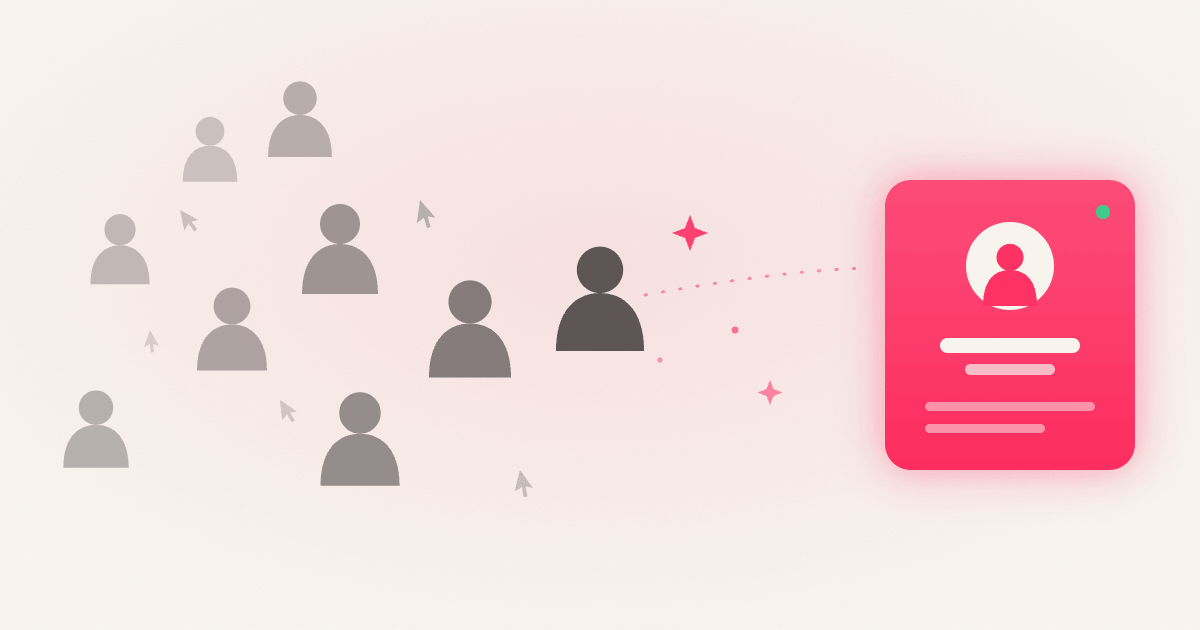
Most B2B websites convert between 1% and 3% of their traffic. The other 97% leave without a name, an email, or a trace. They visited your pricing page, read through your case studies, maybe spent ten minutes evaluating your product, and then they were gone. Website visitor identification is the technology that changes this equation by turning those anonymous sessions into names, companies, and actionable contacts you can actually reach. Tools like Beam have made this kind of real-time visibility accessible to lean sales teams, not just enterprise operations departments with six-figure data budgets. This guide covers exactly how the technology works, why it matters specifically for B2B pipelines, and what to think through before you deploy it.
What website visitor identification actually means
Every website visit leaves behind a set of digital signals: IP addresses, browser attributes, behavioral patterns. These signals don't come with a name attached, but they're not blank either. Visitor identification is the process of cross-referencing those signals against known databases to surface the person or organization behind the session, which is the first step in building a real lead identification workflow from traffic you're already getting.
There are two distinct categories to understand. Company-level identification tells you which organization visited — for example, Acme Corp is on your pricing page right now. Person-level identification goes further and surfaces a name, job title, and sometimes contact details for the specific individual within that organization. Most B2B tools are built around company-level identification first, with person-level as an enrichment layer on top.
The distinction matters because the match rates, technical requirements, and compliance implications are meaningfully different between the two. Person-level identification relies on identity graph matching, which makes it more powerful but also less consistent. Company-level identification is more reliable and broadly available across B2B visitor identification tools. Set honest expectations going in: this is not magic. It's data enrichment built on top of existing digital signals, and understanding what those signals are helps you evaluate any vendor's claims clearly.
How de-anonymization actually works under the hood
Reverse IP lookup
The foundation of most B2B visitor identification is reverse IP lookup. When a visitor lands on your site, a JavaScript snippet captures their IP address. The tool runs that IP against a database of corporate IP ranges, ASN registrations, and reverse DNS lookup records to match it to a known organization. This works reliably in B2B contexts because corporate offices and company VPNs have assigned IP blocks. It breaks down for remote workers on residential connections or visitors on mobile data, where the IP points to a carrier rather than an employer.
Device fingerprinting and identity graphs
Once the company is identified, tools layer in first-party cookies and device fingerprinting to build a behavioral history across sessions. Device fingerprinting collects browser attributes, screen resolution, operating system, and hardware signals to create a semi-unique identifier that persists even when cookies are cleared. For person-level identification, tools tap into identity graphs: massive cross-referenced databases built from ad-tech networks, email pixel signals, and publisher partnerships. When a device fingerprint or cookie matches a record in that graph, the tool can surface a name and job title alongside the company.
Match rates vary significantly between company-level and person-level results, and they differ across vendors as well. The underlying enrichment often depends on third-party data sources and B2B data providers that power identity graphs and contact resolution. What the sales team actually sees is what makes this useful: company name, industry, size, pages visited, and time on site — and when person-level ID is available, individual names and contact details. The data moves from a passive analytics dashboard into a live, actionable signal that a real person evaluated your product today.
Why anonymous traffic is a costly pipeline problem
A prospect visiting your pricing page three times in a week is showing more buying intent than someone who downloaded an ebook six months ago. Without identification, that signal is completely invisible. The sales team spends budget on cold outreach to purchased lists while warm, high-intent visitors leave without any follow-up at all. Industry benchmarks consistently put form-based B2B conversion at roughly 2–3% of site visitors, which means the overwhelming majority of interested buyers never self-identify through traditional conversion paths.
When you know who visited and what they looked at, outreach becomes a relevant, timely conversation rather than an interruption. A cold email has to guess at pain points and hope for relevance. A message sent to someone who just spent twelve minutes on your integration docs doesn't need to guess. The context is already there. The structural difference between cold and warm outreach isn't the channel — it's the signal behind it. Website visitor tracking is what creates that signal, and that's why teams using it consistently report better reply rates than cold list-based outreach delivers.
From unknown visitor to named contact: what the workflow looks like
The process runs continuously in the background from the moment a visitor hits your site. The identification tool fires, matches the IP to a company, pulls firmographic data, layers in behavioral signals from the session, and checks identity graphs for a person-level match. The result is a live record: who visited, what they looked at, and enough context to reach out with a relevant message the same day.
This is where Beam makes the process genuinely immediate. Beam surfaces a live feed of named visitors — company, individual, and current page — as it happens, not after a batch sync or a manual data pull. For founders, SDRs, and small sales teams, that immediacy is the point. You don't need another dashboard to manage. You need the signal fast enough to act on it while the interest is still fresh, and Beam is built to deliver exactly that from day one without a complex RevOps setup.
The most effective outreach workflows treat visitor analytics as an event trigger, not a list to batch-process later. When a target account hits a high-intent page — pricing, integrations, or a case study — a real-time alert routes directly to the owning rep. That rep reaches out within 24 hours, references what the visitor was evaluating, and opens a conversation that feels like a response rather than an intrusion. That shift, from list-based blasting to event-triggered timing, is what separates warm visitor outreach from traditional cold outbound.
Match rates and integrations for website visitor identification
Vendor accuracy claims deserve scrutiny. Top vendors often cite 90%+ accuracy, but that figure typically applies to verified subsets of their data. In broader operational tests, B2B contact data accuracy tends to land in the 80–90% range, and person-level identification can drop significantly depending on traffic source. Corporate office visitors on assigned IP blocks match at much higher rates than remote workers or mobile users. The metric that actually matters is accuracy multiplied by coverage, not accuracy alone. A tool that's 98% accurate on 20% of your traffic is less useful than one that's 87% accurate on 80% of it.
On the integration side, leading visitor identification tools connect natively with HubSpot, Salesforce, and Pipedrive, pushing identified company and contact records in real time or near real time. Slack alerts and email notifications flag target accounts the moment they arrive. Webhooks and APIs support custom routing for teams with more complex workflows. Two-way sync in practice means your CRM gets enriched with visitor data, while the identification tool can pull in existing account data to cross-reference against known targets or open opportunities. If a company in your pipeline visits your pricing page two weeks after going quiet, that's a re-engagement signal your CRM should surface automatically.
Privacy and compliance: what to sort out before you deploy
GDPR and CCPA operate differently, and the distinction has practical consequences for how you deploy an identification script. GDPR requires a lawful basis before processing personal data. For company-level identification that doesn't track identifiable individuals, legitimate interest is often a defensible basis. For person-level identification, cookies, or device fingerprinting, you'll typically need explicit consent before the script fires. That means a consent management layer in EU jurisdictions, not an afterthought added post-launch.
CCPA and CPRA operate on a different model. Collection is permitted by default, but users must receive clear disclosure about what's collected and a meaningful opt-out mechanism for the sale or sharing of their personal information. The practical requirement is a "Do Not Sell or Share My Personal Information" link and a notice at collection, not advance consent for every visitor. The compliance obligation sits with the website owner, not the vendor, so vendor documentation is a starting point rather than a complete solution.
Serious vendor compliance support includes consent mode integration (disabling or restricting identification until consent is granted), regional behavior controls that apply different rules by geography, configurable data retention windows, and deletion workflows to honor erasure requests. Vendors should also provide a Data Processing Agreement, subprocessor documentation, and Standard Contractual Clauses for cross-border data transfers. Before you deploy, document your lawful basis decision by region, update your privacy notice to disclose what you collect, and verify that the vendor can honor deletion and opt-out requests consistently.
Start seeing who's already there
Website visitor identification closes the gap between traffic and pipeline by revealing the real people and companies behind anonymous sessions. The technology works in layers: reverse IP lookup establishes the company, device fingerprinting and identity graphs surface the individual, and behavioral data adds the context that makes outreach relevant rather than random.
Before you evaluate tools, get clear on two things: whether you need company-level or person-level identification for your use case, and which CRM integrations are non-negotiable for your workflow. Then pressure-test the vendor's match rate claims against your actual traffic mix, not just their best-case benchmarks. If you want to identify anonymous visitors without a complicated setup, Beam is built for exactly that: a live feed of named visitors, available from day one, with the visitor analytics and enrichment your team needs to act fast. The visitors are already there. The question is whether you're identifying them. For a step-by-step walkthrough, see our visitor identification setup guide.
Frequently asked questions
What is website visitor identification?
Website visitor identification turns anonymous website traffic into named companies and, in some cases, individual people. It pairs reverse-IP company lookup with identity resolution, so you can see who visited without them filling out a form.
How accurate is visitor identification?
On US company traffic, expect roughly 40–70% company-level match rates and 20–40% at the person level. Coverage is US-focused today, so traffic from outside the US resolves at much lower rates.
Is website visitor identification GDPR compliant?
It can be. Company-level identification that doesn't track named individuals often relies on legitimate interest, while person-level identification, cookies, or device fingerprinting typically require explicit consent in EU jurisdictions.
How is this different from Google Analytics?
Google Analytics tells you a session happened and which pages were viewed, but not who was behind it. Visitor identification adds the missing layer — the company or person — so you can actually follow up.